01
Open the gallery you already have
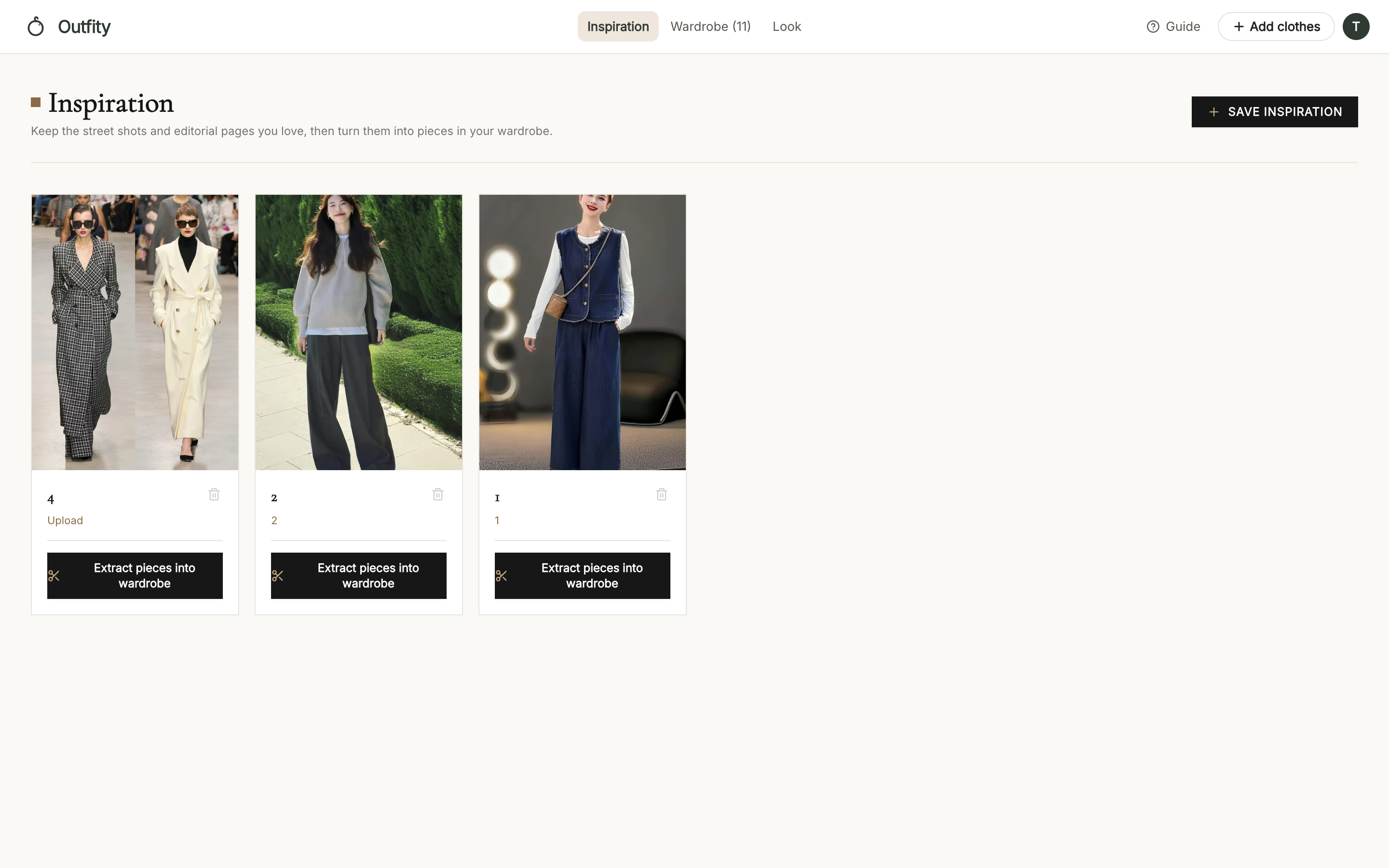
Every look you have saved sits on one grid — no feed, no scroll. The studio opens straight onto your saved looks, so the ones you chose to keep are the first thing you see.
Try It Now · Free to Start
Search the looks you already saved, copy the one you want again, schedule it onto a day, or send it straight to try-on.
Inspiration · Live
Browse the looks you already saved
Every look you keep in the studio appears here — open one, edit it, or plan it for a day.
Opens on the Styling Canvas tab · free to try
Inside Outfity
Three boards from a real account — each look on them is made of clothes the owner actually has, not screenshots to hunt down later.
Your own gallery of looks inside Outfity — every look you saved on one searchable grid, ready to copy, schedule or try on. Looking for fresh ideas instead? Browse outfit inspiration.
How It Works
Four steps that all happen in the same gallery — nothing to set up first.
Every look you have saved sits on one grid — no feed, no scroll. The studio opens straight onto your saved looks, so the ones you chose to keep are the first thing you see.
A pile of saved looks becomes noise fast. Search the gallery the way you remember — a colour, a piece, an occasion — and it narrows to the looks you can actually wear on a rainy Tuesday rather than everything at once.
A saved look is no good sitting still. Copy it when you want a variation, send it to virtual try-on to see it on you, or share it as a link — the gallery is where a look starts moving.
Schedule a look onto a day in the planner, and when its day comes, one tap logs it as worn — so the gallery holds the looks you actually wear, not just the ones you liked.
Capabilities
Collecting looks is the easy part. Outfity is built around the two things that make a gallery worth keeping: it stays searchable, and it connects to the clothes you own.
Most inspiration arrives as an endless scroll you never revisit. The inspiration page is closer to a shelf: a finite set of looks you chose on purpose, arranged so you can see them again instead of losing them three hundred posts ago.
Inspiration is useless if it does not fit the weather or the occasion. Search the gallery for work, casual, date or travel, and the saved looks that surface are the ones that can actually leave the house with you.
A gallery is only useful if you can find things in it again. Search for the look you half-remember — the cold-weather one, the one built around black boots — and it comes straight back, no scrolling to the bottom.
There is a real difference between inspiration you collected and inspiration you were served. This gallery holds the first kind — the outfit references that match your taste, your body and your wardrobe, not whatever is trending this week.
Saving a look is only the start. From the gallery it can be copied for a variation, scheduled onto a day, shared as a link, or sent to virtual try-on, so the gallery feeds the rest of Outfity.
The studio on this page is a working gallery you can filter and browse right away. An account is only needed to keep your own collection and sync it across devices.
Outfit Gallery · Look Gallery
If you came looking for an outfit gallery, a look gallery or simply a style gallery you can search, it is the same page — with search and a direct line into the rest of Outfity.
Search for an outfit gallery and you usually land on a wall of someone else’s photos. This one is private by default — an outfit gallery you build and search yourself, held next to your wardrobe rather than in a public feed.
A look gallery is only useful when you can narrow it. Search by occasion, by season, or by a single colour, and the look gallery behaves like an archive rather than a mood board you flip past once.
Most style galleries stop at looking good. This one is wired to the rest of the app: pick a look from the style gallery, schedule it onto a day, and it becomes a real outfit you can wear, log and revisit next week.
FAQ
It is your personal gallery of looks inside Outfity. Every look you have saved sits on one searchable grid, and any of them can be copied, scheduled onto a day, shared as a link, or sent to virtual try-on.
Yes. The studio on this page is fully usable before an account — open the gallery, search it, and browse freely. A free account is what keeps your own collection permanently.
The outfit inspiration page is about finding new ideas and browsing looks you have not seen. This inspiration page is the archive that holds them: the place your saved looks live, sorted and searchable, next to your wardrobe rather than in a feed.
A saved look joins the gallery and stays there. From its card you can search back to it later, copy it for another day, schedule it onto the planner, share it as a link, or send it to virtual try-on.
Yes. The gallery is searchable: look for a colour, a piece, or an occasion, and the grid narrows to the saved looks that match the day you are actually having.
You can browse freely without signing up. Once you are signed in, every look in the gallery is yours to use: copy it, schedule it onto a day in the planner, share it, or send it to try-on.
Keep the looks you love where you can wear them.
Open Your Inspiration